3D ANZ
Discover Rhino 7


3D ANZ
Featured Rhino command
This is placeholder copy for the established 209-command system. The final command component retains its own fixed-frame and overflow rules.
Additional explanatory material demonstrates that this principal region scrolls vertically without moving either horizontal rail.
Additional explanatory material demonstrates that this principal region scrolls vertically without moving either horizontal rail.
Additional explanatory material demonstrates that this principal region scrolls vertically without moving either horizontal rail.
Additional explanatory material demonstrates that this principal region scrolls vertically without moving either horizontal rail.
Additional explanatory material demonstrates that this principal region scrolls vertically without moving either horizontal rail.
Additional explanatory material demonstrates that this principal region scrolls vertically without moving either horizontal rail.
Additional explanatory material demonstrates that this principal region scrolls vertically without moving either horizontal rail.
Additional explanatory material demonstrates that this principal region scrolls vertically without moving either horizontal rail.
3D ANZ process
Begin with the idea, need or opportunity.
Test possibilities without premature commitment.
Turn intent into useful constraints and criteria.
Build an adaptable digital description.
Compare performance, fit and consequences.
Improve the solution through informed iteration.
Communicate, manufacture or deliver the result.
Imagine… Explore freely. Express precisely.
Before there's a model, there's an idea. Something you can see in your head but haven't yet worked out. A shape. A possibility. A problem that needs a different solution.
The designer brings the idea. The process of designing reveals what the idea can become. The software should enable that process without getting in the way.
That's where Rhino comes in.

Good design doesn't always begin with a fully defined solution.
You start with an idea. You test it. You change it. You see something you hadn't seen before.
Rhino gives you a direct way to work with the geometry of your design, so you can develop the idea as you think it through.
Explore an idea far enough, and new possibilities emerge.
The software isn't deciding the destination. It gives you the freedom to discover it.


Design is rarely a straight line. You discover something by trying it. Then you change it. Then something else becomes possible.
The process itself becomes part of the discovery.

Exploration is useful when what you discover can become something precise. Rhino brings freedom and accuracy together, retaining the precision needed to measure, communicate, share and make the design.
Freedom to explore. Precision to deliver.
Rhino is a mature, comprehensive design tool that can carry an idea from its first possibility through to precise, finished geometry.
Surface, solid, SubD and mesh modelling sit alongside drafting, analysis, documentation and manufacturing tools.
Rhino works with complex, freeform shapes as naturally as it works with precise geometry.
You don't have to abandon specialist tools that already serve a useful part of your workflow.
Use Rhino for the whole process or where its particular strengths are most valuable.
Rhino supports a remarkably broad range of CAD, 3D, mesh, drawing and manufacturing formats.
 Bring it in. Work with it. Take it wherever it needs to go.
Rhino is used across a remarkably broad range of design disciplines.

Explore form, space and detail.

Develop objects where form, function and production come together.

Develop precise products and complex forms.

Create intricate production-ready geometry.

Develop complex surfaces where shape and accuracy matter.

Explore organic and precise forms through to manufacture.

Develop accurate geometry for technical applications.

Move precise geometry into computer-controlled manufacturing.

Turn digital designs into prototypes and finished forms.

Design considered natural and built environments.

Develop terrain, infrastructure and built-environment geometry.

Create expressive forms that communicate ideas and culture.
Some problems can't be solved by drawing the answer directly. Define relationships, rules and possibilities, then explore what those relationships can produce.
Explore an idea far enough, and new possibilities emerge.

Continue exploring
Plain-language explanations of useful Rhino tools and the choices that shape the result.
Explore featured commandSee what McNeel is developing next, presented after the primary reading rather than over it.
Discover RhinoA seven-stage design sequence: imagine, explore, define, model, evaluate, refine and realise.
See the process3D ANZ process
Begin with the idea, need or opportunity.
Test possibilities without premature commitment.
Turn intent into useful constraints and criteria.
Build an adaptable digital description.
Compare performance, fit and consequences.
Improve the solution through informed iteration.
Communicate, manufacture or deliver the result.
DISCOVER RHINO
Animation paused to respect your motion preference.
This independent, plain-language overview has been prepared by 3D ANZ Tech Support to explain the command's purpose and potential value to your design process. For definitive options, parameters and operating details, refer to McNeel's official Rhino 9 help. Graphics courtesy of McNeel.
3D ANZ · Rhino
These are baseline compatibility requirements, not optimum workstation specifications. Meeting a minimum or supported specification does not mean a computer is ideally configured for your models, rendering workload, Grasshopper definitions, plug-ins, display resolution, or expected service life. If you are choosing a new workstation or are unsure whether an existing computer is suitable, please contact 3D ANZ before purchasing hardware.
Choose your Rhino release below. Requirements are listed in descending release order.
Rhino 9 · Rhino 8 · Rhino 7 · Rhino 6 · Rhino 5
Work in Progress: Rhino 9 requirements can change while the product is in development.
Not supported: Windows 10 or older, Windows Server, Linux, or Boot Camp on Apple Silicon Macs.
Not supported: macOS 15 (Sequoia) or older, Intel-based Macs, or digitizers.
Need help choosing hardware? Contact 3D ANZ and tell us what you model, how large your files are, and whether you render or use Grasshopper extensively. We can help you specify beyond the minimum.
Not supported: Windows 8.1 or older, Windows Server, Linux, ARM processors, or the listed virtualisation/remote-desktop environments.
Not supported: macOS 11 (Big Sur) or older, digitizers, iPad or iPad Pro.
These are minimum/baseline requirements, not our optimum workstation recommendation. Contact 3D ANZ for practical hardware guidance for your workload.
Not supported: Windows 8 or older, Windows Server direct login, Linux, ARM processors, Boot Camp on Apple Silicon Macs, or the listed virtualisation/remote-desktop environments.
Not supported: macOS 10.13.6 (High Sierra) or older, digitizers, iPad or iPad Pro.
These are minimum/baseline requirements, not our optimum workstation recommendation. Contact 3D ANZ if you are replacing or specifying a workstation.
Not supported: Windows 8, 7 or older, any 32-bit Windows release, Linux, or the listed virtualisation/remote-desktop environments.
Not supported: Apple Silicon processors or the listed macOS virtualisation environments.
These are minimum/baseline requirements, not our optimum workstation recommendation. Contact 3D ANZ for advice before buying replacement hardware.
Legacy software: Rhino 5 is substantially older software. Compatibility with current computers and operating systems is limited. Rhino 5 has not received bug fixes or security patches since 2017.
Not supported for this guide: Windows 11. Modern hardware or driver changes may also make reliable operation difficult.
Planning a hardware or operating-system upgrade? Please contact 3D ANZ before relying on Rhino 5 on a replacement computer. In many cases the practical solution is to move to a current Rhino release rather than design a new workstation around legacy software.
System requirements define a compatibility floor. They do not describe the workstation we would necessarily recommend for productive professional use. Model size, display count and resolution, rendering, Grasshopper, plug-ins, point clouds, meshes and the number of applications used alongside Rhino can materially change what hardware is sensible.
Talk to 3D ANZ. Tell us what you do in Rhino and what you expect from the machine. We can help you choose a practical specification rather than simply meeting the minimum.
3D ANZ · Realise your ideas
Before there is a model, there is an idea. Good software helps you discover what that idea can become.
It might be a building, a boat or a new product. It might be a piece of jewellery, a component for a machine, or a wooden toy with a 3D-printed wheel.
The scale doesn't matter. It starts in the same place: someone has an idea and wants to bring it to life.
You may know exactly what you want to make. Or you may have only the beginning of an idea. You explore it. Try things. Change them. Go back. Take another route. Sometimes the process leads somewhere you didn't expect.
The software should empower that process, not get in its way.
A useful design tool gives you the freedom to work with an idea while it is still developing.
Sometimes you need to explore a shape without knowing exactly where it will lead. Sometimes you need to measure something precisely. You may need to test alternatives, analyse the result, explain it to someone else or make it.
Those are different parts of the same process.
The idea comes from you. The tools help you explore it, understand it and turn it into something real.
We sometimes describe design as a series of steps: imagine, explore, test, refine, evaluate, develop and realise.
Real design isn't usually that tidy.
You may explore something and then go back. Testing can reveal another possibility. Refining one part may make you rethink another. Even when something appears finished, making it can teach you something that improves the next version.
That isn't a failure of the process. It is the process.
Freedom to explore is only useful if you can turn what you discover into something real.
Rhino lets you work freely with complex form while maintaining the accuracy needed to measure, communicate, document and make what you design.
You can explore an idea without giving up precision—and become precise without giving up the freedom to keep exploring.
Freedom to explore. Precision to deliver.
For many Rhino users, it is.
Rhino provides a broad set of tools for modelling, drawing, analysis, documentation and preparing geometry for manufacture. Specialist plug-ins can extend those capabilities much further.
For someone designing and making their own work, Rhino may take an idea all the way from the first sketch in their mind to the finished object.
For a larger project, it can do exactly the same thing—but the number of people, skills, processes and tools involved may grow.
And sometimes another tool is simply better suited to a particular part of the work.
That's not a problem. It can be an advantage.
No CAD system has to do everything for everybody.
A Rhino user might prefer another application for a particular task. Someone who normally works in another CAD system might turn to Rhino when its particular strengths are useful.
An engineer, manufacturer or other specialist may prefer different software again.
Their preference matters.
People become skilled with the tools they know. Those tools can help them think, solve problems and work effectively. Asking someone to give up the tool that enables them to do their best work simply so that everybody uses the same software can achieve exactly the wrong result.
Give people the freedom to use the tools that empower them.
This is where the idea of a companion becomes important.
A companion isn't necessarily a lesser tool or an occasional substitute. It contributes something of its own.
If Rhino is your main design environment, another application can work alongside it and contribute its particular strengths. If another application is your usual environment, Rhino can do the same.
Neither needs to be the junior partner.
And sometimes the companion tool isn't on your computer at all. It belongs to the engineer, fabricator, manufacturer or another person helping bring the idea to life.
That is why exchanging geometry matters.
The aim isn't simply to move a file from one program to another. It is to allow people, skills, processes and tools to work together without the choice of software becoming an unnecessary barrier.
A person making a wooden toy may need nothing more than an idea, Rhino, a small workshop and a 3D printer.
Another idea might bring together designers, engineers, specialist consultants, fabricators and manufacturers using many different tools.
Neither way of working is more legitimate than the other.
What matters is not which tool is in charge. What matters is what each person and each tool contributes to bringing the idea to life.
The right tool in the right hands can make a powerful contribution. Bring those contributions together and something exceptional can become possible.
And “exceptional” doesn't have to mean enormous, expensive or complicated.
It can simply mean that the thing you imagined now exists—and it is as good as you could make it.
Start with the idea.
Explore it. Test it. Change it. Develop it.
Use Rhino for as much of that journey as you need. Bring in other tools and other people when they can make the outcome stronger.
The tools are there to empower you. The idea remains yours.
3D ANZ
By Tim Elliot
© 2026 Tim Elliot. All rights reserved.
Before there is a model, there is an idea. Good software helps you discover what that idea can become.
It might be a building, a boat or a product. It might be jewellery, a machine component or a wooden toy with a 3D-printed wheel.

You may know exactly what you want to make, or only the beginning of an idea. You explore it. Try things. Change them. Go back. Sometimes the process leads somewhere unexpected.
Whatever the scale, it starts in the same place: someone has an idea and wants to bring it to life.
The software should empower that process, not get in its way.
The designer leads.
A useful design tool gives you freedom while an idea is developing—and precision when you need to test, measure, explain or make it.
The tools help you explore an idea, understand it and turn it into something real.
There isn't one correct path.
We sometimes describe design as a series of steps: imagine, explore, test, refine, evaluate, develop and realise. In practice, those stages rarely fit neatly into a prescribed way of working.
Testing can reveal another possibility. Refining one part may make you rethink another. Even making the finished object can improve the next version.
That isn't a failure of the process. It is the process.
Exploration allows an idea to develop before every answer is known.
Rhino lets you work freely with complex form while maintaining the accuracy needed to measure, communicate, document and make what you design.
Rhino may be all you need.
Rhino provides a broad set of tools for modelling, drawing, analysis, documentation and preparing geometry for manufacture. Specialist plug-ins can extend those capabilities much further.
For someone designing and making their own work, Rhino may take an idea from the first sketch in their mind to the finished object. Larger projects may involve more people, processes and tools—and sometimes another tool is simply better suited to part of the work.
That's not a problem. It can be an advantage.
Use the tools that help you do your best work.
A Rhino user may prefer another application for a particular task. Someone who normally works elsewhere may turn to Rhino when its strengths are useful. An engineer, manufacturer or specialist may choose differently again.
Those preferences matter. Familiar tools help people think, solve problems and work effectively. Requiring everyone to use the same software can prevent them from doing their best work.
Let the tools work together.
A companion isn't a lesser tool or an occasional substitute. It contributes strengths of its own. If Rhino is your main design environment, another application can work alongside it; if another application is your usual environment, Rhino can do the same.
Sometimes the companion tool belongs to the engineer, fabricator, manufacturer or another person helping bring the idea to life.
That is why exchanging geometry matters. The aim isn't simply to move a file. It is to let people, skills, processes and tools work together without software becoming an unnecessary barrier.
Different projects need different combinations.
A person making a wooden toy may need nothing more than an idea, Rhino, a small workshop and a 3D printer. Another project may bring together designers, engineers, consultants, fabricators and manufacturers using many different tools.
Neither way of working is more legitimate. A simple workflow is not lesser; a complex one is not automatically better.
Bring the right contributions together and something exceptional becomes possible. “Exceptional” need not mean enormous, expensive or complicated.
It can simply mean that the thing you imagined now exists—and it is as good as you could make it.
Your idea. Your tools.
Start with the idea.
Explore it. Test it. Change it. Develop it.
Use Rhino for as much of that journey as you need. Bring in other tools and other people when they can make the outcome stronger.
3D ANZ
Stop Looking for the Mythical Perfect CAD System.
Start looking for the tools that don’t get in your way.
© 2026 Tim Elliot. All rights reserved.
Design and drawing are not quite the same ambition.
There is a small historical argument hiding inside the initials CAD. They have been used for both Computer Aided Drafting and Computer Aided Design.
Drafting is principally about communicating a design: producing drawings, dimensions, annotations and documentation. Design is the larger activity: deciding what something should be, how it should work, how its form should develop and how its components should relate.
The distinction matters because early computer graphics were very good at demonstrating that a machine could draw. The Computer History Museum describes early CAD as essentially a better drafting tool before it became a way of modelling complex surfaces.[1]
I encountered the distinction first-hand while editing CAD magazines in London. One publication deliberately explored CAD&D - or CADD - because it acknowledged both sides of what the technology was doing.
The model can remember how it was made.
Some design software remembers a model as a sequence of operations. You might create a sketch, turn it into a three-dimensional form, round an edge, add a hole and then repeat that feature elsewhere. Each step can depend on something that came before it.
CAD users commonly describe this collection of operations and relationships as a history tree. Think of it as a recipe: the computer remembers not just the finished cake, but how you made it.
History-based parametric modelling can be extremely powerful because dimensions and relationships can make later changes predictable. Those relationships also create dependencies: changing one decision can affect many later operations.
You need to change something that looks simple. You search for the step that created it, then discover that the step depends on something earlier—and that operation depends on another one.
Suddenly the innocent little boss you wanted to move has acquired a family tree worthy of a medieval dynasty.
Sometimes that structure is exactly what you need. Sometimes it is not. The model may not have malfunctioned; it may simply have followed its instructions. The problem is that the designer's mental model and the software's dependency model can drift apart.
And then you have a choice: find the historical cause, or fix the geometry.
A practical origin can become a design philosophy.
A documented CAD updating method describes an approach used by some systems in the early 1980s: replay the modelling operations instead of storing all the intermediate results.
Replay the history. Save the memory.
The trade-off was computation. Replaying the history after a change meant rebuilding the model from its sequence of operations, so the time required could depend on the complexity of the whole part rather than only the size of the change.[2]
That is different from the polished modern description of a history tree as an elegant representation of design intent. Yet something clever happened: the sequence was useful not only for rebuilding the shape. It also contained information about how the designer had constructed it.
As systems became more sophisticated, procedural history became editable, associative and increasingly rich in dimensions, relationships and features. A computationally economical way of reconstructing a model became something more ambitious: a representation of design intent.
Architecture reflects the environment in which it evolves.
It would be tempting to tell a neat story: computers were too weak for direct modelling, so engineers invented history-based modelling. The evidence does not justify something quite that simple.
Solid modelling developed through different approaches. Modern academic accounts commonly describe the progression as solid modelling in the 1970s, parametric modelling in the late 1980s and direct modelling as a later commercial paradigm. Constructive Solid Geometry and boundary representation were already established within early solid modelling.[3]
CAD architecture evolved in a particular technological environment, and that environment influenced what was practical, valuable and expected.
Then the technology improved. The architecture remained. Eventually, a solution to a particular set of problems can start to look like the natural way computers ought to work.
Rhino takes a more direct approach to an object's shape. Rather than requiring every change to pass through a long chain of dependent modelling steps, you can often work directly on the geometry in front of you. This is generally called direct modelling.
That does not mean Rhino has no History. It does. McNeel describes Rhino History as storing the connection between a command's input geometry and its result, allowing changes to the input to update the result. McNeel recommends selectively recording History when it is useful, noting that it consumes resources and increases saved-file size.[4]
If a relationship needs to persist, use it. If it does not, Rhino need not carry that relationship with the geometry. Rhino's training material is explicit that History is not the same as a feature or parametric modelling system.[5]
Three legitimate approaches. Three different questions.
How should this design behave when it changes?
What should the geometry be?
What rules should generate the geometry?
Freedom and structure solve different problems.
Rhino's great strength is freedom to work directly with complex geometry, including the NURBS curves and surfaces for which it is well known. That matters when the form itself is the problem you are trying to solve.
You may not know the final design when you start. You may want to explore radically different solutions or decide that the original modelling approach was wrong. Working directly with the shape can be liberating: you can ask “What should this be?” rather than “Which earlier operation must I change to make it become that?”
That freedom also brings responsibility. If a relationship is important, it must be preserved deliberately. If a dimension must remain fixed, the model must express that. If another designer will inherit the file, your intentions must be understandable.
Direct modelling does not eliminate design intent. It simply does not automatically encode all of it for you.
A history-driven system can make future engineering changes wonderfully predictable. Rhino can make exploration and geometric intervention wonderfully uncomplicated. Neither wins every contest.
When rules become geometry.
This is where Grasshopper enters the story. It is a visual environment within Rhino for creating rules and relationships that generate or control geometry.
It can be extraordinarily powerful for repeated structures, complex patterns, optimisation and generative work. But there is a trap: you can spend an impressive amount of time automating something that would have taken five minutes to model directly.
Different problems benefit from different ways of thinking.
The modern workflow need not be “choose one CAD system and use it for everything.” It can be “choose the right tool for each part of the problem, then make the tools cooperate.”
A designer might use a history-based solid modeller for mechanically critical components, Rhino for complex curves and surfaces, Grasshopper for generative work, and specialist applications for rendering, simulation or manufacturing.
This is not a failure to find the mythical application that does everything. It reflects the fact that different problems ask different questions.
Deep knowledge of one system is valuable. So is knowing when a different problem calls for a different tool. That is why interoperability matters: the aim is not merely to move a file, but to allow people, skills and tools to contribute without software becoming an unnecessary barrier.
I have worked with computer-aided design since 1983. That gives me the dubious privilege of watching several generations of CAD orthodoxy arrive, become fashionable and occasionally become inconvenient.
When company directors first asked why we were not using computers, I laughed and persuaded them not to take that revolutionary step. I was wrong. I had judged a technology I had not bothered to understand. The company later went bust. It was an effective education in the danger of certainty.
Years later, after selling my AutoCAD reseller business, Bob McNeel suggested I talk to CoCreate. I subsequently worked with SolidDesigner 6 in Germany as the industry wrestled with the transition from workstations to the Windows desktop. By 1998 it supported Windows NT, HP-UX and SGI IRIX.[6]
I returned to England and organised SolidModelling '99, and I have continued working with Rhino from its early years. That experience has made me wary of treating any current orthodoxy as permanent.
Ask what the design needs.
History-based, direct and generative systems ask legitimate but different questions. The skill is knowing which question you are trying to answer—and where the intelligence that describes the design should live.
Sometimes the answer is a history. Sometimes it is the geometry itself. Sometimes it is a set of rules. Increasingly, it may be several applications working together.
The purpose of design software is not to make us admire the software. It is to help solve a design problem with the least unnecessary resistance.
And sometimes, after twenty minutes searching through a history for the operation responsible for the tiny boss you wanted to move, you discover that changing it will destroy half the model.
Delete the bloody thing and remodel it.
There is no shame in that. Your computer will not judge you. And if it does, do not tell the grandchildren.
3D ANZ
How a familiar modelling tool kept changing without losing the thing that made it useful
By Tim Elliot
© 2026 Tim Elliot. All rights reserved.
There is a slightly odd thing about Rhino.
Its evolution is visible in places beyond the modelling commands: how a licence is shared, how the software reaches your computer, and how a design leaves the desktop for a client’s hand. Those quieter changes matter to the person trying to get work done.
If you used Rhino 5 and opened Rhino 9 BETA today, you would know where you were. The command line is still there. Curves are still curves. Layers behave much as you expect. You can still type a command rather than hunt through a collection of icons to find it.
And yet, underneath that familiarity, an enormous amount has changed.

That is perhaps the most interesting part of Rhino's recent history. McNeel has rarely tried to reinvent the product simply to make a new release look new. Instead, Rhino has evolved by identifying the things that increasingly get in the way of designers and progressively removing them.
The result is less a succession of revolutions than a long, quiet evolution.
The story starts before the first commercial Rhino. In 1992, a company called Applied Geometry approached McNeel about bringing its AGLib NURBS geometry library into AutoCAD. Alias Research was also a customer of Applied Geometry, alongside several other organisations. McNeel first worked with Applied Geometry on AccuModel, then developed the modeller that became Rhinoceros. McNeel’s own history sets out that sequence.
Alias agreed to buy Applied Geometry in 1994. McNeel had already licensed AGLib and was building geometry expertise of its own; it brought Dr Dale Lear into the team and began substantial in-house geometry development. McNeel records receiving its last AGLib update in 1995. By the time Rhino 3 arrived in November 2002, the story was about technological independence as much as visible buttons. That statement is nothing more than an interpretation of the documented sequence.
For the person opening the box, there was also a very physical part of the experience. Rhino 1, 2 and 3 CDs sat in a pocket at the back of a substantial printed User’s Guide. Rhino 3 was the last version supplied that way. A manual you could put beside the computer had value of its own when learning unfamiliar modelling ideas.
Rhino 4, released in February 2007, brought a much more visible expansion. In an interview that year, Robert McNeel was asked about the more than 800 improvements listed for the release. He pointed to new 2D layout tools that mattered to people preparing work for a laser cutter, and universal deformation tools that could change a shape more freely. Read the 2007 interview.
Universal Deformation Technology was a particularly important shift. A designer could bend, twist or stretch existing geometry, or use a simple control cage to reshape a more complex collection of objects. The model no longer had to be reconstructed piece by piece whenever its overall form needed to change. That made experimentation more practical: a proportion or gesture could be tested while preserving much of the work already done. McNeel’s UDT guide describes the deformation tools.
 CageCreates a control cage around objects.
 TaperGradually scales geometry along an axis.
 TwistRotates geometry progressively around an axis.
 MaelstromSpirals geometry around a centre.
 StretchLengthens or shortens geometry along an axis.
 SplopCopies, scales and orients objects onto a surface.
 CageEditDeforms captured objects by editing a control cage.
 FlowMaps objects from a base curve or surface to a target.
 BendDeforms geometry around an arc.
One designer’s essential addition might be another designer’s rarely used command.
That is why the large number is less interesting than the variety: Rhino was becoming useful at more stages between making a form and communicating or fabricating it. The growth also foreshadowed the later challenge of discovering which tools were already there.
The presentation changed as well. Rhino 4 shipped in a DVD case, after the thick book and CD combination of the earlier releases. The physical package grew smaller as the software’s range grew larger.


The Gumball feature first officially appeared during the Rhino 5 development cycle, offering direct interactive movement, scaling and rotation on selected geometry in the viewport.
This was one of the many changes in 3D modelling approach heralded by Rhino 5. The evolution of Grasshopper was another.
For years, Rhino’s fundamental attraction had been straightforward: it gave ordinary designers access to precise free-form surface modelling without requiring the investment or working methods of the large industrial CAD systems.
Much of that capability is based on non-uniform rational B-splines (NURBS), a mathematical way of describing curves and surfaces precisely. Designers could draw accurately, build complex surfaces and solids, exchange files with other systems and proceed with the job.
Rhino 5 developed that established modeller while the range of work around it expanded. Models were becoming larger, visualisation was moving into everyday design work, meshes were increasingly important and designers expected software to exchange more information.
Grasshopper was a particularly significant part of that change. Its visual definitions described the relationships that produced geometry, allowing variations to be generated by changing inputs rather than redrawing each result. Direct modelling and parametric modelling were becoming complementary ways of working.


Rhino 5 also brought a broad collection of new commands and improvements across modelling, editing, display, drafting and documentation. The selected toolbar icons provide a compact sample rather than a complete catalogue.
During Rhino 5’s life, McNeel moved to electronic delivery. From February 2015, licences could be sent by email and the software obtained online. The installer no longer had to travel across the world in a box. McNeel’s account of the packaging and release history record the shift.
Rhino 5 was also the release that reached the Mac. Rhino 5 for Mac shipped in June 2015 after years of work adapting a Windows-born modeller to another operating system. For Mac users, the significant change was that Rhino had become available on their own platform. McNeel dates the Mac release to June 2015.
Another small but far-reaching companion appeared during this period. By 2013, iRhino 3D let people carry a Rhino model to an iPhone or iPad and show it away from the modelling workstation. It was a viewer, not a replacement for the desktop application, and it made the model easier to share in a meeting or on site. McNeel’s 2013 newsletter already lists iRhino 3D.
Licensing had its own evolution. The earlier LAN Zoo let a workgroup share licences from a server on its network; McNeel documents its support for Rhino 2, 3 and 4. Zoo 5 was completely rewritten in January 2013. Zoo compatibility and McNeel’s chronology provide the dates.


Rhino 6 extended that licensing story with Cloud Zoo. A team could share its licences through Rhino Accounts without maintaining its own in-house licence server, and a designer could sign in on another computer. McNeel presented it as a new Rhino 6 option in 2018; the LAN Zoo remained available. This was an improvement to access and administration rather than to geometry, but for a small practice it could change the daily experience of using Rhino. McNeel’s Cloud Zoo note sets out the new option.
By the time Rhino 6 was being developed, the problem wasn't simply that Rhino needed more commands.
It needed its increasingly diverse capabilities to work together.
Grasshopper's incorporation into Rhino was therefore far more significant than adding another modelling tool. Parametric design stopped being something sitting alongside Rhino and became part of Rhino itself.
Rendering was changing too. Designers increasingly wanted to understand materials, light and form while they were designing, not after the modelling was finished. Rhino's rendering and display systems consequently became more important parts of the everyday modelling environment.
There were improvements to meshes, materials, display, documentation and the handling of increasingly complicated models.
None of those things necessarily sounds revolutionary in isolation.
Together, however, they changed what Rhino could reasonably be asked to do.
It was no longer simply a very capable NURBS modeller. It was becoming a platform in which several different ways of making and understanding geometry could coexist.


Rhino 7 brought one of the most visible changes in Rhino's history: subdivision modelling (SubD).
The problem SubD addressed is easy to understand without knowing anything about the mathematics.
Traditional Rhino surface modelling is extraordinarily precise, but precision can require planning. If you are designing something highly sculptural—a chair, helmet, shoe, consumer product or an organic enclosure—you may want to push and pull the shape until it feels right before worrying about exactly how every surface is constructed.
SubD gave Rhino a much more fluid way of doing that.
Start with a relatively simple form. Push it around. Add detail where it is required. Keep changing your mind.
The important bit was not simply that Rhino gained another modelling technology. It was that SubD could participate in the Rhino world.
A designer did not have to choose between intuitive form-making and accurate CAD as two separate universes.
That is a recurring theme in Rhino's development: rather than insisting there is one correct way to model, McNeel keeps finding ways for different representations of geometry to work together.
Rhino 7 also continued improvements in rendering, display, drafting, meshes, file exchange and existing modelling commands.
Again, evolution rather than wholesale replacement.
More portable than your laptop: a convenient way to preview work on the device in your pocket.
The mobile companion evolved as well. In November 2022, McNeel announced a complete rewrite of iRhino 3D. It brought more ways to inspect and present a model, including display modes, layers, markups and augmented reality, while remaining a free iPhone and iPad viewer. It belongs in this story because being able to take a model into a conversation is part of what makes the desktop work useful. McNeel’s announcement records the rewrite and its timing.

Rhino 8, released in October 2023, combined substantial new modelling tools with improvements to many established operations.
PushPull enabled direct editing of faces by pushing or pulling them while Rhino handled the surrounding solid geometry. Automatic construction planes reduced the need to set a working plane manually by aligning it to suitable geometry as the user worked.
 Unified mesh
 Smoothing
 Optimisation
ShrinkWrap created a watertight mesh around NURBS geometry, SubD objects, meshes, point clouds or collections of points. It was particularly useful for scan data, imperfect meshes, 3D printing and reverse-engineering work because mixed or incomplete source material could be converted into a coherent mesh. Smoothing and optimisation controls allowed the result to be refined.
Rhino 8 also added and extended tools for UV mapping, rendering, drafting, meshes, SubD, Grasshopper and interoperability. Taken together, the release addressed both major modelling tasks and the repeated operations that shape everyday use.

That trajectory is particularly apparent in the development of Rhino 9 BETA.
There are new commands, certainly, but there is also a great deal of attention being paid to existing operations: filleting, selection, Boolean modelling— combining and cutting solid forms—point clouds, SubD, drawing production, toolbars and numerous small pieces of interaction that collectively determine whether modelling feels effortless or laborious.
This is an important distinction.
A spectacular new feature is easy to demonstrate. Improving something a designer already performs fifty times a day can be far more valuable.
A better fillet doesn't sound terribly exciting until the old one fails on the model you need to deliver at five o'clock.
A better selection method sounds trivial until you are working with thousands of objects.
A better toolbar doesn't create any geometry at all, but it may help somebody discover a capability that has been sitting inside Rhino for ten years.
And that last point matters.
It may be discovering that it can do it.
Rhino has accumulated an extraordinary range of capabilities. Some have buttons. Some live in menus. Some sit underneath other tools. Some are principally used from the command line. Some experienced users know almost instinctively; others can work in Rhino for years without encountering them.
This is one of the inevitable consequences of software that evolves rather than periodically throwing everything away.
The knowledge accumulates along with the capability.
For an experienced Rhino user that can be wonderful. Commands learned fifteen years ago still work. Muscle memory has value. You don't have to relearn your profession every time the software gets a new version number.
For somebody learning Rhino, however, the sheer depth can make discovery difficult.
That is an interesting problem because it isn't really a modelling problem at all.
It is an orientation problem.

Looking back from Rhino 5 towards Rhino 9 BETA, perhaps the biggest change isn't any individual command.
It is the gradual disappearance of boundaries.
The boundary between direct modelling and parametric modelling became less important as Grasshopper became part of Rhino.
The boundary between precise surfaces and sculptural modelling became less rigid with SubD.
The boundary between modelling and visualisation diminished as real-time display and rendering improved.
The boundary between different applications is being eroded by better file exchange, developer connections and technologies such as Rhino.Inside.
And the boundary between telling the software exactly what to do and letting it infer what you are trying to do is gradually moving too.
That is why describing Rhino's development simply by listing new commands misses much of the story.
The real progress is in workflows.

There is a temptation in software development to demonstrate progress by changing everything.
We've all seen it, particularly where annual release cycles create pressure to make each new version visibly different. Workflows are rearranged, familiar tools are moved, and users are asked to relearn things that were working perfectly well already—sometimes with remarkably little practical benefit.
It certainly makes the screenshots look different.
Rhino has generally taken another route.
Its development has been surprisingly Darwinian. New capabilities appear. Users test them. Problems emerge. McNeel's developers discuss them openly with users. Some ideas prosper, some change direction, and established tools are continually adjusted.
The public WIP, Serengeti and BETA discussions provide a fascinating record of that process.
You can see needs being identified before the eventual solution is polished enough to become an unremarkable part of the finished product.
That openness also explains why the boundaries between releases can sometimes be fuzzy. A problem explored during one development cycle may mature during another. A new command may appear alongside an older command that has been substantially improved.
Software development is rarely as tidy as the marketing brochure makes it appear.
And perhaps it shouldn't be.
For the person sitting in front of Rhino, the benefits of all this development are rather more straightforward than the technology behind them.
You can explore forms more freely.
You can change your mind later.
You can work with more kinds of geometry.
You can see a better representation of the result while you are designing it.
You can automate repetitive work.
You can build relationships rather than manually rebuilding geometry.
You can exchange information with a much broader digital design environment.
And increasingly, Rhino tries to remove the little administrative tasks that interrupt the act of designing.
None of those benefits requires the user to understand the underlying mathematics or software architecture.
Nor should it.
The best technology eventually becomes invisible.


Which brings us to an interesting place.
Rhino has spent decades accumulating capability without abandoning the working methods that made people like it in the first place.
That continuity is one of its greatest strengths.
It has also created a new challenge.
There is now more Rhino to discover than most of us know exists.
Even experienced users have their favourite corner of the program. A naval architect, jeweller, industrial designer, architect and Grasshopper specialist may all say they use Rhino every day while using remarkably different parts of it.
So perhaps the next stage in making sophisticated software easier isn't another attempt to make everything “simple”.
Perhaps it is helping people understand what is there, why it appeared, where to find it and when it might be useful.
That is the historical perspective we are interested in at 3D ANZ.
Not simply what commands were added to Rhino 9 BETA?
But:
What problems were people trying to solve?
How did Rhino's answer develop?
What became possible—or simply easier—as a result?
Follow that trail from Rhino 5 through Rhino 6, 7, 8 and now Rhino 9 BETA, and Rhino looks rather different.
It isn't a collection of more than a thousand commands.
It is a record of decades of designers finding new things they want to do—and a piece of software quietly learning how to get out of their way.
3D ANZ
Rhino CAD specialist, designer, engineer, artist and founder of 3D ANZ.
I've spent a good part of my working life discovering what happens when design, software and manufacturing technology meet.
My work has taken me from industrial and product design to architecture, marine design, mechanical engineering and digital fabrication. Along the way I've also used the same tools to design sculptures that have ended up on beaches, in exhibitions and in some rather unexpected places.
For me, design has always been a process of asking "what if?" You try something, discover something, change your mind and try something else. The software should make that conversation easier, not get in the way of it.

My first serious encounter with computer-aided drafting came while studying for a Master's degree in design at Domus Academy in Milan, Italy.
Computer-aided drafting was being presented as a plausible future. I wasn't convinced.
I was sufficiently unconvinced to dismiss the technology and subsequently watched a company I was involved with go bust.
That was a useful lesson.
But there was another problem I had been trying to solve:


In 1982, while completing my BA at Ravensbourne College of Art & Design, I developed a modular shelving system as part of my final submission. It was inspired in part by the spatial puzzles of M. C. Escher and combined three entirely separate underlying structures. The shelves themselves bound those structures together, rather than simply being supported by them.
The principle of how it went together was actually very simple. Trying to represent it with pencil and paper on a two-dimensional drawing board wasn't. I spent the best part of a year trying to resolve it through manual drafting.
The quickest way to understand it was actually to make it.
So I already knew how difficult it could be to communicate a three-dimensional design through two-dimensional drawings when I arrived at Domus Academy.
What I encountered there was computer-aided drafting, and at that time the process I saw was still essentially two-dimensional. I had seen no evidence of three-dimensional CAD, other than some early animated branding on television.
Putting the drawing board onto a computer wasn't yet answering the question I was interested in.
You see, there is some irony hiding inside the initials CAD, and it's exactly why I'm averse to acronyms. Sometimes they just don't help.
CAD has been used to mean both Computer Aided Drafting and Computer Aided Design.
Those are not quite the same ambition.
Drafting is principally about communicating a design: producing drawings, dimensions, annotations and documentation.
Design is the larger activity: deciding what something should be, how it should work, how its form should develop and how its components should relate to one another.
That was the bit I was interested in.
When I began my MPhil in computer-aided design at Gray's School of Art, jointly with the Scott Sutherland School of Architecture in Aberdeen, Scotland, one of the first questions I asked was what I could actually do with the mainframe computer I'd been given.
There wasn't a CAD package sitting there waiting for me.
So I went back to the problem I'd struggled with in 1982. Could I do something better than the computer-aided drafting I'd been introduced to in Italy?
With no previous programming experience, I decided to write a Fortran program to calculate the XYZ coordinates needed to recreate the 1982 design as three-dimensional geometry and create a boundary representation.
Yes, I've been doing this since the design-osaur era.
And suddenly I could see what computer-aided design, rather than simply computer-aided drafting, might actually mean.
I've recreated the same form in Rhino today in about ten minutes.
The design hasn't become simpler. It was always simple. What has changed is how directly I can work with it.
The MPhil gave me a particularly useful perspective. I became comfortable working with computer-aided design in architecture as well as creative 2D and 3D design.
My experience with early CAD technologies is one reason I'm cautious about making quick judgements about software.
By then I'd learned to understand a technology before deciding what I thought of it.
My early career included work in the UK CAD publishing industry, including as editor of CADdesk, CADD and MicroStation User magazines, and later as conference chair for SolidModelling '99.
That gave me a broad view of the rapidly developing CAD industry and the people using it.
I saw different approaches to computer-aided design emerge. I watched technologies become established. I saw some ideas work brilliantly and others become accepted simply because they had been around for long enough.
Then I discovered Rhino.
Actually, that discovery began before Rhino became the standalone tool we know today.
I explored an early sandbox prototype called AccuModel for AutoCAD. It had too many limitations in that environment, but nonetheless morphed into the standalone tool we know today.
So when I say I've worked with Rhino for more than 26 years, that's actually the conservative version.
You can start with an idea, change your mind, try something else and keep working.
Good design often involves changing your mind.
For me, that's the conversation. What if I try this? What happens if I change that? Sometimes the result is what I expected. Sometimes it suggests something else.
As a co-founder of Simply Rhino, I was keen to show people that Rhino didn't have to be complicated.
When you work with real geometry in a direct modelling way, I believe the process can become simpler.
That doesn't mean every design problem is simple.
It means the software doesn't always need to make the problem more complicated.
I had already spent the best part of a year discovering how difficult a simple three-dimensional idea could become when I had to describe it on a two-dimensional drawing board. I wasn't looking for software that recreated that experience on a screen.
I've worked with Rhino for more than 26 years, and I still genuinely prefer it for the freedom it gives me to explore a design.
Imagination is a process of discovery.
One of the things I enjoy about design is that eventually somebody has to build the thing.
My work has included marine design, including the hull and deck design for the Haines Hunter SP725. The interior was designed by others.

Marine design is a good test of whether a model is more than just a pretty picture. The surfaces have to work, the proportions have to work, and eventually the design has to become something that can be manufactured and put into the water.
The SP725 went on to win Overall Boat of the Show and GRP Fishing Boat Open Class at the 2011 Hutchwilco New Zealand Boat Show.

A three-dimensional model isn't necessarily the end result. Sometimes it is the beginning of understanding how something works, how it could work better, and how to make the improved version.
I'm comfortable moving between design and engineering problems.
I've also worked in mechanical engineering, including a project to reverse engineer a legacy waterjet unit at a time when replacement parts were no longer available.
These were essentially aftermarket replacement parts. We worked backwards from the physical components to develop the geometry needed to manufacture them, taking the opportunity to iron out a few wrinkles that years of service had identified.

I've always been interested in the point where an idea has to become something that can actually be built.
My experience with computer-aided design extends into architecture and jewellery design as well as industrial and product design.

Architecture is another version of that problem.
All of my sculptures have been designed in Rhino, apart from the ones I made at school in the 1970s.
Sculpture gives me a different reason to use the same tools. There is no client specification telling me what the finished object has to look like. The challenge is often to discover what the geometry wants to do.
Perhaps that isn't so different from the shelving system I was struggling with in 1982. I tend to think in three dimensions.
Ask me to design a chair and I'll probably approach it as a sculpture you can sit in. If a table extends, I'm more likely to expose something visually curious about the extending mechanism than try to hide it. And if structure is important, as it was with that shelving system, I'll have a good go at making the structure itself intriguing.
But however unusual the form becomes, I want the person looking at it to be able to relate to it. The same premise rings true for how Rhino is presented: sophisticated capability doesn't have to be presented as intimidating complexity.

Try drawing that with a pencil on a two-dimensional drawing board.

Dawn Awakening really was a self portrait. It was first exhibited at Harbourview Sculpture Trail on the Te Atatū Peninsula. The curator didn't want me to call it Self Portrait. Atatū is a Māori word meaning "dawn", "daybreak" or "just after sunrise", hence Dawn Awakening. It doesn't mean this is what I look like at dawn, though others may disagree.
It was subsequently exhibited at Sculpture on the Shore and, when later re-titled Self-Portrait, went on to receive second place in the 2016 NZ Art in Structure competition.


Colloquially, "Number 8 Wire" is a very Kiwi expression. It has become shorthand for ingenuity, resourcefulness and making something work with whatever happens to be available.
That spirit appeals to me.
I won the President's Award in the first Number 8 Wire exhibition I entered with a sculpture entitled "Nautilus". And later in 2017, I won the People's Choice Award for "999 Eight-Gauge Seeds of Inspiration, 31 Scoops of Sunshine".
The sculpture used 999 lengths of No. 8 wire arranged in a Fibonacci spiral inspired by sunflower seeds, together with an LED light, Kiwiscoops and a cast-iron wheel. I used Grasshopper to set out the Fibonacci spiral of sunflower seeds.
Another Rhino-designed sculpture won the competition for the beach sculpture at Mairangi Bay, where it still stands today.


Just as my 3D ANZ CAD business has a presence in both New Zealand and Australia, so does my art.
In 2016, the Australian Broadcasting Corporation (ABC) ran a phone-in competition to choose the People's Choice at an exhibition in which I entered a sculpture created in Rhino in collaboration with mosaicist Kate Millington.
Our kingfisher sculpture won People's Choice.

It is one of those projects that neatly demonstrates what I like about Rhino. The software doesn't particularly care whether you are designing a boat, a building, a mechanical component or a bird. This one was 2.25m long!
I don't really think of design as a straight journey towards a predetermined answer.
It is much more likely to begin with "what if?"
You try something. You look at what happened. You discover something. Perhaps you change your mind. Then you try something else.
I make extensive use of 3D ANZ's laser cutters, computer numerical control (CNC) routers and 3D printers in the manufacture of my sculptures.
The tools matter because they affect how easily that conversation can continue.
For me, that's where productivity comes into it. Productivity isn't simply doing the same drawing faster. It is about removing unnecessary work between the idea, the next "what if?", and the thing you eventually make.
A long career in technology doesn't mean having all the answers.
It means having seen enough different answers to become interested in the questions.
I've learned not to dismiss something simply because I don't understand it.
I've also learned that people don't generally find CAD intimidating because they are incapable of learning it.
They find it intimidating because they don't yet feel confident about what they're doing.
That's a very different problem.
If you don't know what something means, a page full of technical terminology can make a simple idea seem complicated.
If you don't know which tool to use, every button can look like the wrong one.
And if you don't understand why something works, it is difficult to know what to try next.
That's where experience can help.
Not because I know every command.
I don't!
There are more than a thousand of them, each with its own options. So please don't suggest I have dementia if I can't remember every one of them.
The options are easy to explore. The process of discovery is simple, and that's all part of the fun.
So if I don't know the answer, I do know where to look and how to find it.
There are many ways to skin the cat in Rhino.
But you can't start by looking at it and asking whether you should skin it this way or that.
You start by picking it up.
Technical subjects inevitably come with technical language. That's fine.
But technical language should make something clearer, not make you feel as though you've wandered into a conversation halfway through.
So I try to explain things.
The first time I use an acronym, I spell it out. If a term has two meanings, I say so. And if something can be explained in ordinary language, I usually prefer ordinary language.
Knowing the terminology isn't the same thing as understanding the subject.
Understanding comes first.
After all these years, I'm still discovering things.
New software, new manufacturing methods, new ways of modelling and new ways of turning an idea into something you can actually hold in your hands.
That's probably why I still enjoy it.
The software keeps changing. The machines keep changing. The possibilities keep expanding.
The interesting bit is deciding what to do with them.
Imagination is a process of discovery.Tell me what you're trying to make. We'll start there.
3D ANZ
Rhino.Inside.Revit unleashes the power of Rhino and Grasshopper within the Autodesk Revit® environment.
3D ANZ
Register with 3D ANZ to download the Beta from McNeel.
Registration complete
3D ANZ
These are baseline compatibility requirements, not optimum workstation specifications. Meeting a minimum or supported specification does not mean a computer is ideally configured for your models, rendering workload, Grasshopper definitions, plug-ins, display resolution, or expected service life. If you are choosing a new workstation or are unsure whether an existing computer is suitable, please contact 3D ANZ before purchasing hardware.
Choose your Rhino release below. Requirements are listed in descending release order.
Rhino 9 · Rhino 8 · Rhino 7 · Rhino 6 · Rhino 5
Work in Progress: Rhino 9 requirements can change while the product is in development.
Not supported: Windows 10 or older, Windows Server, Linux, or Boot Camp on Apple Silicon Macs.
Not supported: macOS 15 (Sequoia) or older, Intel-based Macs, or digitizers.
Need help choosing hardware? Contact 3D ANZ and tell us what you model, how large your files are, and whether you render or use Grasshopper extensively. We can help you specify beyond the minimum.
Not supported: Windows 8.1 or older, Windows Server, Linux, ARM processors, or the listed virtualisation/remote-desktop environments.
Not supported: macOS 11 (Big Sur) or older, digitizers, iPad or iPad Pro.
These are minimum/baseline requirements, not our optimum workstation recommendation. Contact 3D ANZ for practical hardware guidance for your workload.
Not supported: Windows 8 or older, Windows Server direct login, Linux, ARM processors, Boot Camp on Apple Silicon Macs, or the listed virtualisation/remote-desktop environments.
Not supported: macOS 10.13.6 (High Sierra) or older, digitizers, iPad or iPad Pro.
These are minimum/baseline requirements, not our optimum workstation recommendation. Contact 3D ANZ if you are replacing or specifying a workstation.
Not supported: Windows 8, 7 or older, any 32-bit Windows release, Linux, or the listed virtualisation/remote-desktop environments.
Not supported: Apple Silicon processors or the listed macOS virtualisation environments.
These are minimum/baseline requirements, not our optimum workstation recommendation. Contact 3D ANZ for advice before buying replacement hardware.
Legacy software: Rhino 5 is substantially older software. Compatibility with current computers and operating systems is limited. Rhino 5 has not received bug fixes or security patches since 2017.
Not supported for this guide: Windows 11. Modern hardware or driver changes may also make reliable operation difficult.
Planning a hardware or operating-system upgrade? Please contact 3D ANZ before relying on Rhino 5 on a replacement computer. In many cases the practical solution is to move to a current Rhino release rather than design a new workstation around legacy software.
System requirements define a compatibility floor. They do not describe the workstation we would necessarily recommend for productive professional use. Model size, display count and resolution, rendering, Grasshopper, plug-ins, point clouds, meshes and the number of applications used alongside Rhino can materially change what hardware is sensible.
Talk to 3D ANZ. Tell us what you do in Rhino and what you expect from the machine. We can help you choose a practical specification rather than simply meeting the minimum.
3D ANZ
Our most popular training solution is dedicated, one-to-one Rhino training built around your own work. Work on the project you’re focused on and the challenges you want to solve, and we’ll help you with goal oriented tools and techniques that matter to you.
You learn by applying each technique to a real task, at your own pace, with time to ask questions and understand why an approach works. Your project moves forward while you build skills you can use again on the next one.
Delivered at your offices over a total of 24 hours (3 x 8 hour days or by arrangement), commencing 9am. On-the-job training is delivered at a cost of $3,000+GST plus all expenses, at your offices, by arrangement.
Rhino Level 1 shows you how to produce 3-D models using NURBS geometry and arrange models for export, annotation and plotting.
Duration
24 hours over four consecutive six hour days; Or, three consecutive eight hour days;
Course Objectives
In Level 1, you learn how to:
• Utilize the features of the Rhino user interface
• Customize your modeling environment
• Create basic graphic objects—lines, circles, arcs, curves, solids, and surfaces
• Model with precision using coordinate input, object snaps, and SmartTrack™ tools
• Modify curves and surfaces with edit commands and Gumball
• Use control point editing to modify curves and surfaces
• Analyze your model
• Display any portion of the model
• Export and import models to and from different file formats
• Render the model using Rhino Render
• Dimension and annotate model with test and hatch
• Use Layouts to arrange views of model on paper for printing
Course availability and costs
Scheduled classes are held in Auckland, New Zealand. They follow the standard Rhino Level 1 course and are delivered over a total of 24 hours (4 x 6 hour days; or 3 x 8 hour days by arrangement), commencing 9am. The scheduled courses accommodate up to three trainees per class and cost NZD $1200+ GST per trainee upon the basis that we can fill the class. If we are unable to fill a scheduled class, we are able to offer unscheduled training at a cost of $2,400+GST plus all expenses, at your offices, by arrangement.
This course is designed for individuals who will be using and/or supporting Rhino. The course explores advanced techniques in modeling to help participants better understand how to apply Rhino’s modeling tools in practical situations.
Duration
24 hours over four consecutive six hour days; Or, three consecutive eight hour days;
Prerequisites:
Completion of Level 1 training or equivalent, plus three months (minimum) experience using Rhino.
Course Objectives
In Level 2, you learn how to:
• Customize toolbars and toolbar collections
• Create simple macros
• Use advanced object snaps
• Use distance and angle constraints with object snaps
• Construct and modify curves that will be used in surface building using control point editing methods
• Evaluate curves using the curvature graph
• Use a range of strategies to build surfaces
• Rebuild surfaces and curves
• Control surface curvature continuity
• Create, manipulate, save and restore custom construction planes
• Create surfaces and features using custom construction planes
• Group objects
• Visualize, evaluate, and analyze models utilizing shading features
• Place text around an object or on a surface
• Map planar curves to a surface
• Create 3-D models from 2-D drawings and scanned images
• Clean up imported files and export clean files
• Use rendering tools
Course availability and costs
Scheduled classes are held in Auckland, New Zealand. They follow the standard Rhino Level 2 course and are delivered over a total of 24 hours (4 x 6 hour days; or 3 x 8 hour days by arrangement), commencing 9am. The scheduled courses accommodate up to three trainees per class and cost NZD $1200+ GST per trainee upon the basis that we can fill the class. If we are unable to fill a scheduled class, we are able to offer unscheduled training at a cost of $2,400+GST plus all expenses, at your offices, by arrangement.
3D ANZ
Robert McNeel & Associates, the developer of Rhino and Bongo, provides a 100% satisfaction guarantee on its products.
If you're not satisfied with a McNeel product you've purchased from 3D ANZ, contact us and we'll help you through the return process.
Please be aware that if software is returned to us under this guarantee, your licence will be disabled remotely by 3D ANZ.
Once disabled, the licence will not be usable by you or anyone else, anywhere.
Returning software under this guarantee is therefore a permanent return of the licence, rather than a temporary deactivation or transfer.
If you've purchased Rhino or Bongo from 3D ANZ and you're not satisfied, please contact us before returning your software. We'll explain the process and arrange the next steps.
We will initiate all refunds within 3 business days from the time your claim under this guarantee is lodged.
If you paid us by internet banking, the refund can only be made to the bank account that remitted the payment into our account.
If you paid us through a third party or intermediary, we can only refund the payment to the bank account of that third party or intermediary.
If you paid by credit or debit card, we will initiate the refund within 3 business days. The time it takes for the refund to settle to your card will depend, to an extent, on the card issuer's own policies, practices and processing timeframes, over which we have no control.
The satisfaction guarantee and the software licence are separate matters. The End User License Agreement (EULA) sets out the terms under which Rhino software is licensed and used.
McNeel maintains the current EULA on its website, so we link directly to the current version rather than reproducing it here.
Read McNeel's current Rhino 8 End User License Agreement
When you purchase Rhino or Bongo from 3D ANZ, you have a local point of contact for licensing, product advice and support.
We understand Rhino and the workflows in which it is used, and can help you choose the right licence for your needs.
From licensing questions to getting started with your software, we're here to help.
If you're considering a purchase or need help with a guarantee claim, contact 3D ANZ.
Australia: 1800 659 767
New Zealand: 0210 683 480
3D ANZ
Designers, engineers, architects, makers and students who need the freedom to develop varied forms as accurate, buildable three-dimensional geometry.
Rhino combines precise NURBS curves and surfaces, solids, SubD forms, meshes and point clouds with drafting, rendering, analysis and extensive file translation. Grasshopper adds visual parametric design, while Rhino’s open plug-in environment connects the model to specialist workflows for design, engineering and manufacture.
Choose Rhino when you want one adaptable modelling environment rather than software that prescribes a particular industry or design process. It supports open-ended exploration while retaining the accuracy and interoperability needed to document, communicate and realise the result.
Download the Rhino evaluation — the full version can be evaluated once for 90 days. Saving and plug-ins stop working after 90 days.
3D ANZ

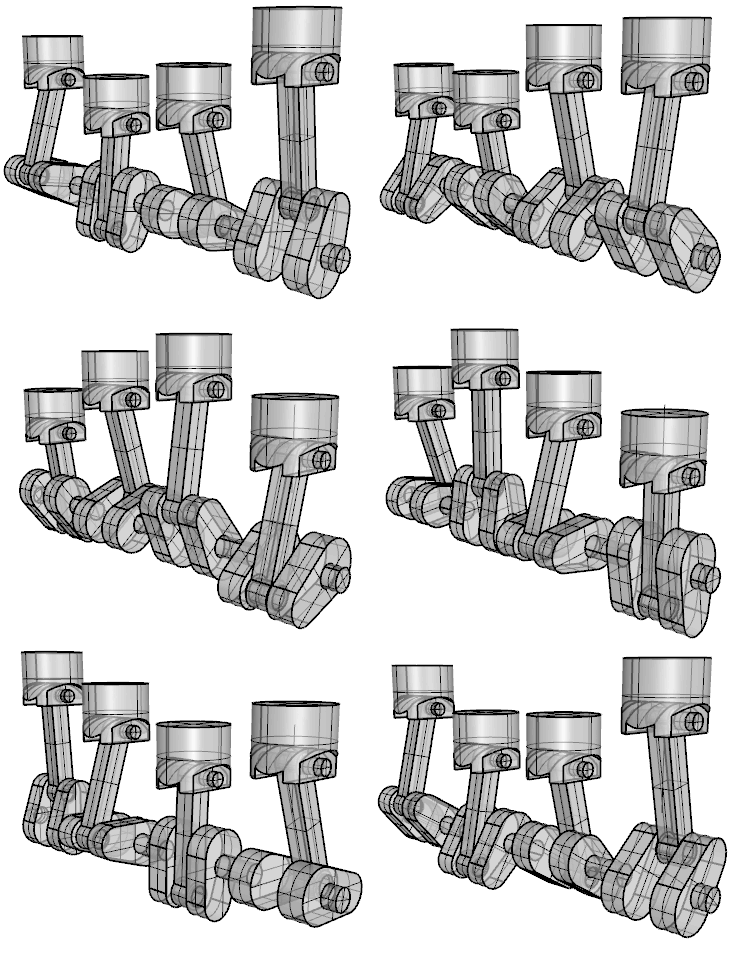
Designers, engineers and visual communicators who need to explain movement, sequence or assembly directly from a Rhino model.
Bongo adds keyframe animation, object and viewport motion, hierarchy controls and an editable timeline inside Rhino. Animate mechanisms, products and presentations without exporting the design to an unrelated animation package, then refine timing while the source geometry remains close at hand.
Choose Bongo when motion is part of understanding the design. It turns a working model into a clear account of how an object moves, changes or comes together, using tools shaped for Rhino users.
Download the Bongo evaluation — animation authoring is unrestricted for 30 days; the installation then continues as an animation viewer.
3D ANZ

Architects, interior designers and multidisciplinary Rhino users who need flexible modelling to produce coordinated architectural information and documentation.
VisualARQ adds parametric walls, doors, windows, slabs, roofs, stairs and other building objects to Rhino. Plans, sections, elevations, schedules and IFC information remain connected to the model, while Grasshopper supports automation and custom object systems.
Choose VisualARQ when design freedom matters, but drawings and data must keep pace with change. It gives an evolving Rhino model a practical BIM structure without replacing the modelling environment that made the project possible.
Download the VisualARQ evaluation — all features are fully functional for 90 days; reduced Viewer functionality remains afterwards.
3D ANZ

Jewellery designers, makers and students who want accurate production geometry without losing the freedom to test proportion, setting and form.
CrossGems combines jewellery builders, stone-setting tools, automatic pavé, patterns and reusable gallery parts with parametric history. Work through its dedicated interface, Rhino or Grasshopper, then revisit dimensions and design relationships without rebuilding the piece from the beginning.
Choose CrossGems when repeatable construction and creative variation belong in the same process. It shortens routine modelling while keeping the detail and control required to move a design towards manufacture.
Download the CrossGems evaluation — the trial is fully functional for 30 days.
3D ANZ

Landscape architects, designers, planners and contractors who want planting, terrain and site documentation to remain part of a familiar CAD workflow.
LandsDesign brings purpose-built landscape tools into AutoCAD and Rhino. Model terrain, planting, paths, walls, furniture and irrigation in 2D or 3D, then generate schedules and project information that respond as the design develops.
Choose LandsDesign when the landscape model must do more than illustrate intent: it should support clear decisions, coordinated documentation and convincing seasonal presentation without forcing the project into a separate design environment.
Download the LandsDesign evaluation — select LandsDesign for AutoCAD or Rhino in the form; the evaluation expires 60 days after installation.
3D ANZ
Naval architects, marine designers and engineers who want hull development and vessel analysis to remain connected to their Rhino geometry.
The Design module supports hull creation, fairing and basic hydrostatics. Analysis adds speed and power prediction plus weight and cost work, while Advanced Stability provides compartments, tanks, load cases, free-surface effects and intact or damaged stability assessment.
Choose Orca3D when form and performance need to inform one another throughout the project. Its three-module structure lets a practice assemble the capabilities it needs while keeping design, calculation and reporting in a coherent marine workflow.
Product options include:
Download the Orca3D evaluation — the evaluation is fully functional for 15 days.
3D ANZ

Rhino-based CNC programmers, machinists, fabricators and designers who want to prepare milling work without translating geometry into a separate CAM system.
RhinoCAM-Mill creates machining operations, toolpaths, simulations and post-processed G-code within Rhino. Its editions provide a considered path from straightforward 2½-axis work through increasingly advanced 3-axis, indexed and multi-axis milling requirements.
Choose RhinoCAM-Mill when design changes and manufacturing decisions need to remain close together. Direct access to Rhino geometry reduces hand-offs and makes it easier to review machining intent before material reaches the machine.
Download the RhinoCAM demonstration — MecSoft offers free evaluation access but does not publish a fixed expiry period on the current download page; confirm the applicable term when requesting access.
3D ANZ · Legal
3D ANZ regards customer privacy as an important part of our relationship with our customers. The following privacy policy applies to all 3D ANZ users, and conforms to Internet privacy standards. If you have questions or concerns regarding this statement, you should call us today:
In Australia on 1800-659767
In New Zealand on 0210-683480
In order to use the 3D ANZ website, we may require information from you in order to provide the best service possible. All correspondence may also be collected and stored, particularly in regard to sales, support and accounts, including Email. Any information collected by 3D ANZ is collected via correspondence from you or your company. This may be via the telephone, Email, mail, fax or directly through our website.
Any details collected from 3D ANZ customers is required in order to provide you with our products and/or services, and a high level of customer service. Correspondence is recorded in order to provide service references, and to assist in our staff development.
The security of your personal information is important to us. When you enter sensitive information (such as credit card numbers) on our website, we encrypt that information using secure socket layer technology (SSL). When Credit Card details are collected, we simply pass them on in order to be processed as required. We never permanently store complete Credit Card details. We follow generally accepted industry standards to protect the personal information submitted to us, both during transmission and once we receive it. If you have any questions about security on our Website, you can email us at tim@3D ANZ.com .
If your personally identifiable information changes, or if you no longer desire our service, you may correct, update, delete or deactivate it by emailing us at tim@3D ANZ.com
If you purchase a product or service from us, we may request certain personally identifiable information from you. You may be required to provide contact information (such as name, Email, and postal address) and financial information (such as credit card number, expiration date). We use this information for billing purposes and to fill your orders. If we have trouble processing an order, we will use this information to contact you.
3D ANZ uses personally identifiable information for essential communications, such as Emails, accounts information, and critical service details. We may also use this information for other purposes, including some promotional Emails. If at any time a customer wishes not to receive such correspondence, they can request to be removed from any mailing lists by emailing us at tim@3danz.com You will be notified when your personal information is collected by any third party that is not our agent/service provider, so you can make an informed choice as to whether or not to share your information with that party. Third Parties
3D ANZ may at its discretion use other third parties to provide essential services on our site or for our business processes. We may share your details as necessary for the third party to provide that service. These third parties are prohibited from using your personally identifiable information for any other purpose. 3D ANZ does not share any information with third parties for any unknown or unrelated uses. Legal
We reserve the right to disclose your personally identifiable information as required by law and when we believe that disclosure is necessary to protect our rights and/or comply with a judicial proceeding, court order, or legal process served on our Website. Links
Links on the 3D ANZ site to external entities are not covered within this policy. The terms and conditions set out in this privacy statement only cover the domain names of www.3danz.com
If we decide to change our privacy policy, we will post those changes to this privacy statement, the homepage, and other places we deem appropriate so that you are aware of what information we collect, how we use it, and under what circumstances, if any, we disclose it. We reserve the right to modify this privacy statement at any time, so please review it frequently. If we make material changes to this policy, we will notify you here, by Email, or by means of a notice on our homepage.
3D ANZ · Legal
3D ANZ uses a 3rd party Payment Gateway for its online credit card transactions providing a safe and secure means of collecting payments via the Internet. All online credit card transactions performed on this site are secured payments.
• Payments are fully automated with an immediate response.
• Your complete credit card number cannot be viewed by 3D ANZ or any outside party.
• All transactions are performed under 128 Bit SSL Certificate.
• All transaction data is encrypted for storage further protecting your credit card data.
After ordering online, you will receive an email confirmation containing your order details (if you have provided your email address). We will normally confirm receipt of your order within a few minutes of ordering. We will attempt to deliver your physical goods by courier within two working days; however if goods are unavailable, delivery will take a little longer. If you wish to query a delivery please contact us at tim@3danz.com.
After ordering online, you will receive an email confirmation of your order details (if you have provided your email address). We will normally confirm receipt of your order within a few minutes of ordering. We will attempt to send your software/license/access code via email within two working days. If you wish to query a delivery please contact us at tim@3danz.com.
3D ANZ · Legal
If for any reason you are not completely satisfied with your purchase we will give you a 30 day money-back guarantee from the time you receive the goods. Please email us at tim@3danz.com within that time if you are not satisfied with your purchase so that we can resolve any problems.
In addition to the above, purchases of software authored by Robert McNeel & Associates (Rhino and Bongo) are also covered by a 100% satisfaction guarantee, which as resellers, we will honour.
Please be aware that if software is returned to us under this guarantee, your licence will be disabled remotely by 3D ANZ.
Once disabled, the licence will not be usable by you or anyone else, anywhere.
Returning software under this guarantee is therefore a permanent return of the licence, rather than a temporary deactivation or transfer.
If you've purchased Rhino or Bongo from 3D ANZ and you're not satisfied, please contact us before returning your software. We'll explain the process and arrange the next steps.
We will initiate all refunds within 3 business days from the time your claim under this guarantee is lodged.
If you paid us by internet banking, the refund can only be made to the bank account that remitted the payment into our account.
If you paid us through a third party or intermediary, we can only refund the payment to the bank account of that third party or intermediary.
If you paid by credit or debit card, we will initiate the refund within 3 business days. The time it takes for the refund to settle to your card will depend, to an extent, on the card issuer's own policies, practices and processing timeframes, over which we have no control.
This refund policy does not apply to physical goods which have been worn or used, damaged after delivery, or if any attempt has been made to alter the product or if they have been dropped or broken. All products must be returned in their original condition. All postage and insurance costs are to be paid by the buyer. We recommend that you return the product via Registered post and that you pre pay all postage. You assume any risk of lost, theft or damaged goods during transit and therefore advise you take out shipment registration and/or insurance with your postal carrier. 3D ANZ will not be responsible for parcels lost or damaged in transit if you choose not to insure.
Product configuration
All prices are exclusive of GST.Where applicable, GST will be applied at checkout.
Choose an Orca3D optionHover previews; click commits.Product configuration
All prices are exclusive of GST.Where applicable, GST will be applied at checkout.
Choose a RhinoCAM editionChoose RhinoCAM or RhinoCAM with AMS. Each option is a complete new-licence purchase.